


Welcome!
Learning the tools of different apps is not easy. I’ve been using ProCreate for a couple years, and have used Affinity Designer, too. I’m digging deeper in the use of both of them to create repeating patterns for POD [print-on-demand] sites. I’m including that learning in my Wednesday posts.
I’ve had success with the vector tools of Affinity Designer, as I wrote last week, including the reasons for adapting to this application. This week’s learning is undone.
Inspiration
I joined Liz Kohler Brown’s The Studio, which includes a community and art courses in both Affinity and Procreate: a great combination. She just posted an “Historical Pattern Design” course, which is a lovely introduction to adapting the old styles of the Arts and Crafts style to today’s illustration. I started with the Damask pattern, a somewhat symmetrical, monotone design. But, of course, we’re learning to break the rules while adapting the style.
My Progress
Since I was so successful last week, I jumped right in to this class, and messed up royally, after another success.
My plan
My plan is to create designs related to the shrub-steppe ecosystem of our area. It’s a semi-arid type of climate– hot in summer/cold in winter and very dry. Yet, the landscape is beautiful with many lovely wildflowers and grasses.
I started with a story of the art project, and then proceeded to create a collection with one of the wild flowers: the choke cherry, of which I have many fond memories from my childhood in North Dakota. Then I moved on to the lovely orange globe mallow wildflower, a favorite in our area. That’s what didn’t go so well.
My story
Here’s my story:
A summer walk in the meadow of the shrubs-steppe ecosystem
It’s your secret place, full of your favorite colors, alive in the flora and fauna of a shrub-steppe meadow. Two-Tailed swallowtail butterflies dart along the thistles, while their caterpillars crawl on the choke cherry bushes. A painted lady butterfly snacks on the yellow rabbit-brush. The shade from the hackberry tree lets me watch a cedar waxwing in the serviceberry bush as the American goldfinch chirps a song in the branches shading me.I surprise a checkerspot butterfly as I pick some purple sage so it flies off to the yellow desert daisy. A glove mallow bee buzzes by to its favorite spot, the orange globe mallow so I follow to watch it gather the pollen into its leg basket to carry back to its underground nest. The yellow pine chipmunk scampers up to snack on a prairie star since the choke cherries are still blooming and where a Western bluebird watches all of us watching each other.
Sheri Edwards: a story for the art
My story has plenty of resources for each of the mentioned plants and animals. I gathered them into a OneTab webpage. I can open the webpage and the links to view the images for inspiration. That’s what I did for my first collection on choke cherries, especially analyzing the blossoms.
Affinity Designer provided the success for my first designs– a collection based on a similar color scheme and the choke cherry bush. I’m still working on the patterns for this, but here’s the first few:
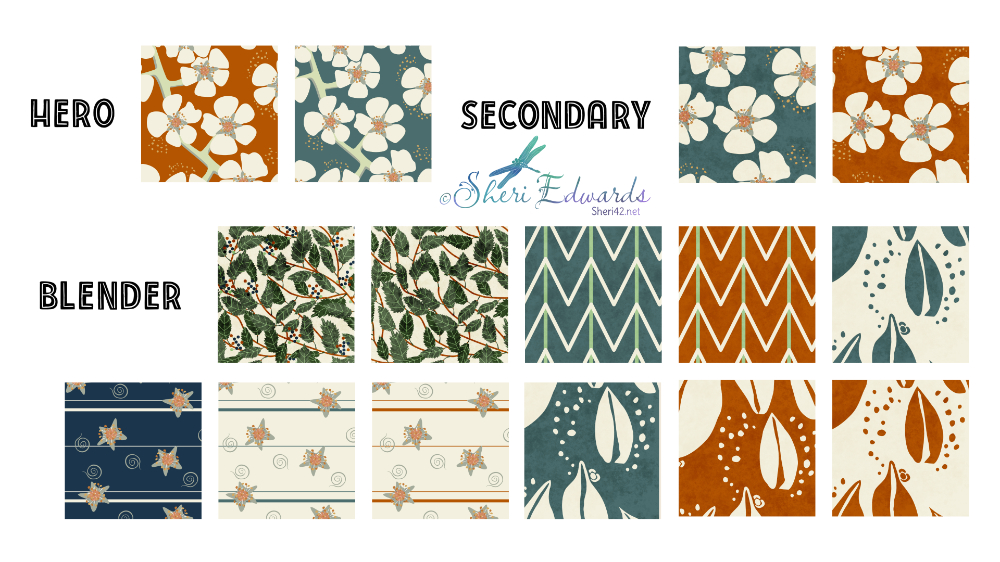
It’s not perfect, but it’s all vector-based. You can see the stylized hero patterns, two color variations of the choke cherry blossoms. Next are two color versions of just blossoms, no stem. The blenders include, the leaves, the leaves and berries, a design based on leaf veins, several color versions of buds, a star design based on the center of each cherry blossom. I rather like them all, but I know there needs to be a few more smaller blenders.
So I felt pretty confident at moving through the more advanced course on Historical Patterns.
I created my info sheet of my progress:
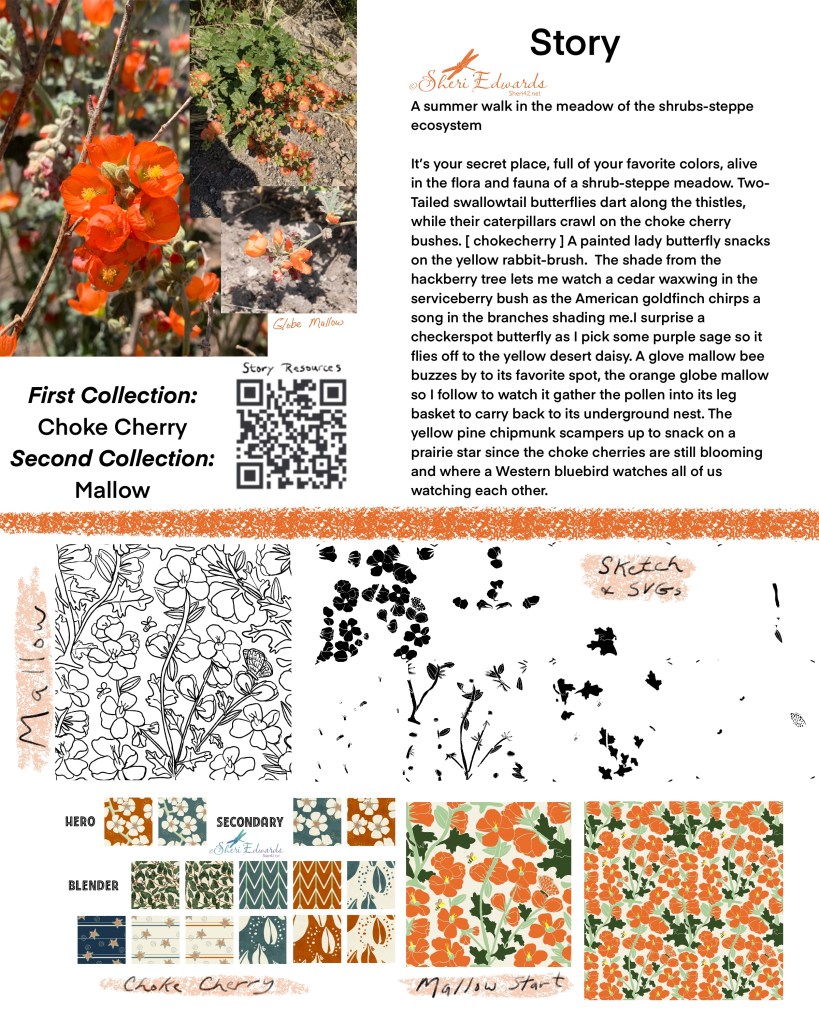
I studied the plant like I did with the choke cherry bush, and began the class, using the diamond pattern as a base. For this lesson, we started in Procreate. As you can see, I sketched a repeating pattern with the mallow plant: blossoms, buds, partially open buds, leaves. I created two versions for the alternating diamond patterns. This is where I goofed. I somehow missed the idea that I was to color and vectorize those two motifs — the one in the center, and the one that broke into the four corners to create the repeat. Instead, I colored the petals, the flower center, the stems, the leaves — all of them in the sketch, and not just two different motifs that make up the pattern. That’s why you see the funny svgs vectorized in black and white.
To create the monotone, white lines indicated the separation of petals, etc. I obvious made mine two small, too jiggly, and, because I didn’t vectorize two motifs, but instead all the parts, too much in the wrong spot.
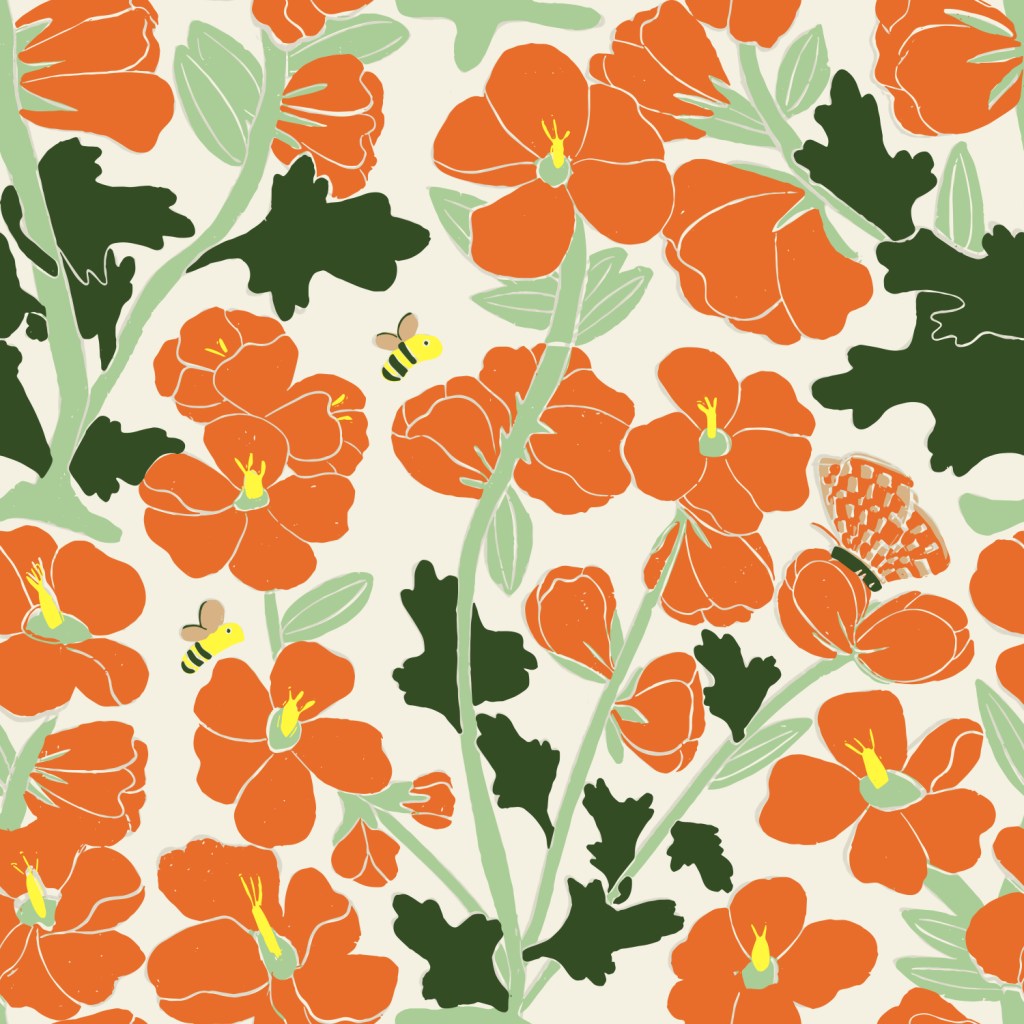
Because of that, the black/white version made to create a monotone of two colors was so ugly, I didn’t even try to colorize it. And the colored version is a mess, too, but not as bad as the black/white. There’s just little shadows and lines in the wrong places.
Anicia checkerspot butterfly]
I didn’t add in the veins on the dark leaves because I thought it would take away from the flowers, but instead the dark green takes command. The “white lines” to show petal and color separation, are often visible in the wrong places, like shadows. It took quite a bit of manipulation of the sketch to get all the edge and corner parts. That’s why I was supposed to color in the two motifs instead. Here are the original motifs, before revisions:

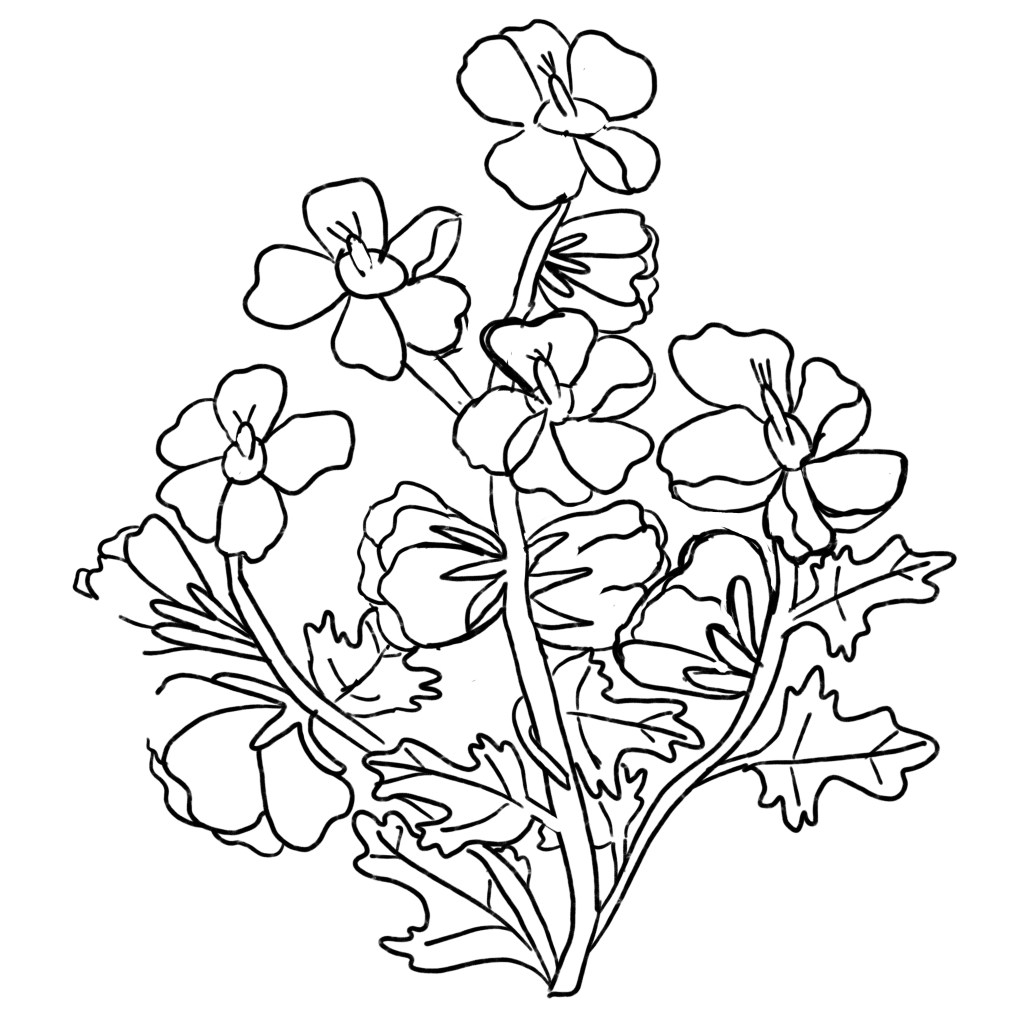
The one on the left is in the center of the colored version; the one on the right is pushed to the corners. Instead I vectorized all the “parts” and put them together in Affinity designer.
I am excited to start from scratch and follow the lesson better to find where I missed the idea of colorizing the motifis. It’s my rush through the lesson that caused my mistake. I’m glad I’m in Liz’s community so I can slow it down and watch again. I truly want to to make these shrub-steppe projects and collections work. And, I’m wondering if I should have started the colorizing in Affinity designer, instead of Procreate, especially since I’d had success there.
My Mallow Goal
Redo the class, focusing on the motifs and better “white lines,” which will be easier since I’ll be working with the motifs instead of the parts.
Try it!
Whether you try Procreate or Affinity Designer, give pattern making a try. There are plenty of YouTube videos to get you started. Or join a community like Liz Kohler Brown‘s or Jennifer Nichols to get started or to refine what you already know while belonging to an artist’s supportive community. I’m very thankful for their lessons and support.
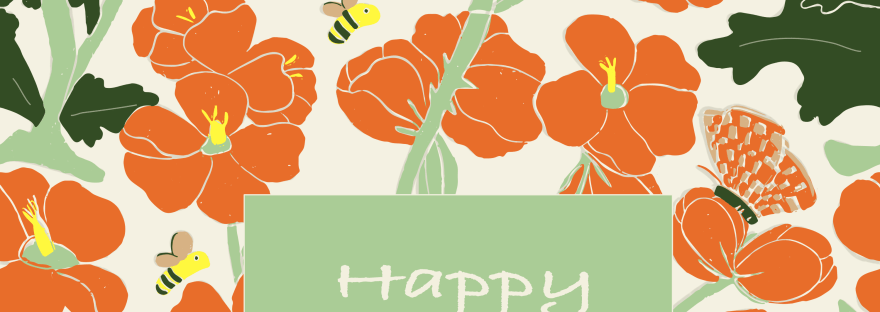
And don’t give up. Like me, figure out where to plan corrections and new directions in process. And, even the goofs can work out. Take a look at the top of this post: my goof is a birthday card for my friend today. I let her know it’s not complete yet, but it’s a still a lovely blossom of learning.
I look forward to your sharing your experiences with surface design / patterns and hope this little post on a week of learning inspires you to start designing.
Please continue to be a part of the #warmup4art series to learn and enjoy our work together! See my sharing at IG @42Sheri and Twitter @42Sheri.

 I wonder, if I draw a line...