


Welcome!
On most Wednesdays, check this blog for a strategy, process, or reflection for illustration with the iPad app ProCreate. This Wednesday Wrap Up shares my result for a live lesson on Procreate Dreams provided by Jennifer Nichols of Leila and Po Studio in her Creative Journey Community of which I am a member and affiliate. Take a look at other posts from Jennifer’s lessons here: #ipadartwithjennifernichols. If you decide to join, if you click “join here” I’ll receive a bit as an affiliate.
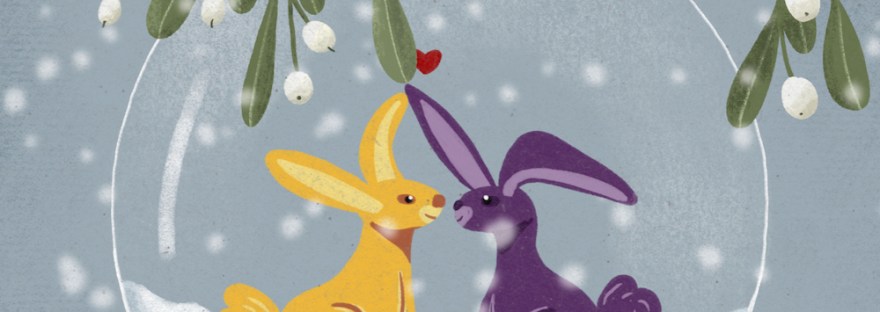
We created our own transparent ornament with mistletoe, ribbon, and our choice of motifs inside in Procreate. Then we animated it in Procreate Dreams. I decided it would make a great greeting card for my granddaughter. See Jennifer’s example on Instagram here.
The Process
The class covers what beginners would need to know about Procreate Dreams– gestures, setting up, etc. Join the community if you’d like to learn a beginner’s look at the new animation app: Jennifer Nichols of Leila and Po Studio in her Creative Journey Community
Like all animation programs, set up is important. In Procreate, create your illustration, with all animated parts on separate layers- click image to expand:
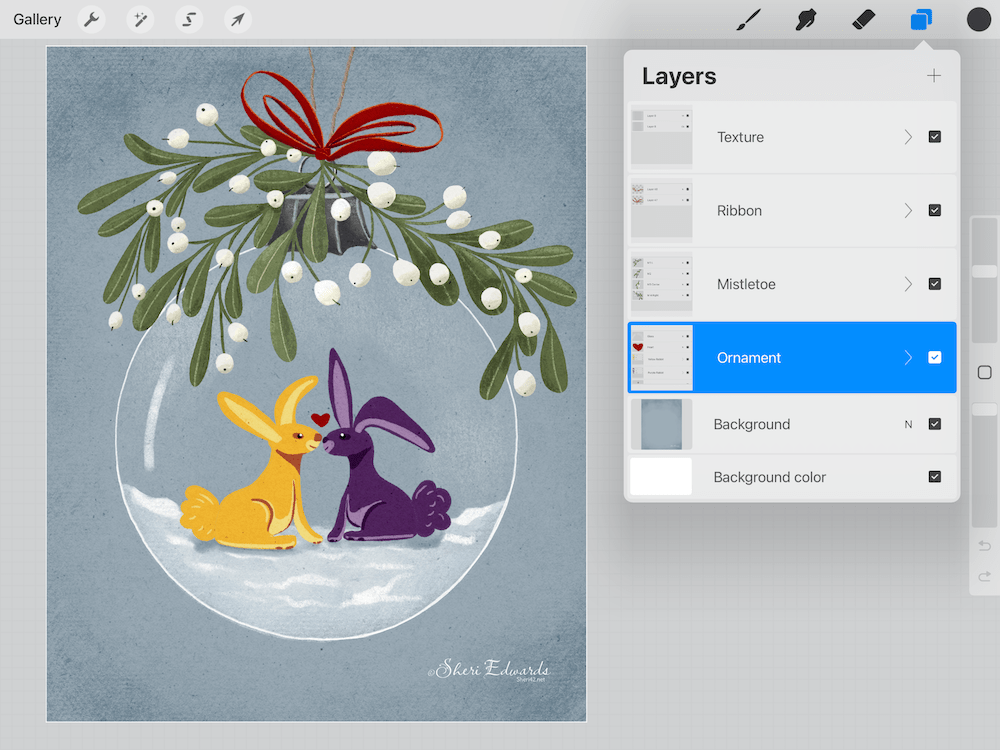
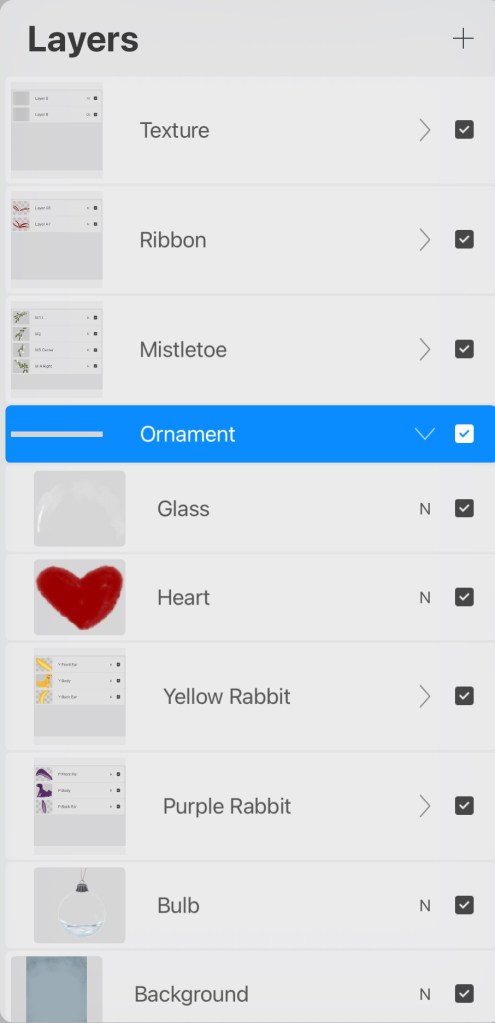
Once the layers are prepped, with split screen of the two apps opened, and a document of the same size open in Procreate Dreams, drag the prepped file into the Dreams app to animate. Jennifer shows slowly and clearly how to animate. My ornament is animated in the ribbon, mistletoe, rabbit bodies, rabbit ears. I added the text in Procreate Dreams. My animation:
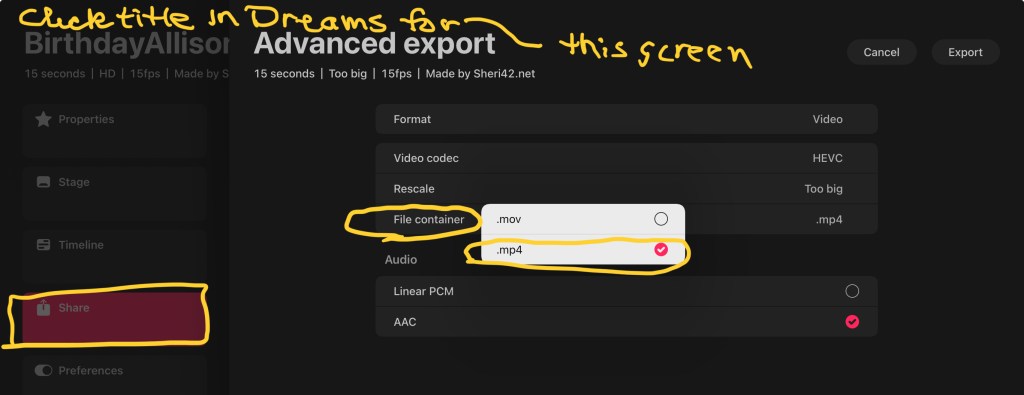
One thing everyone seems to recommend is to change the format from .mov to .mp4. I haven’t have trouble using .mov, even uploading to YouTube. But here’s how to do so:
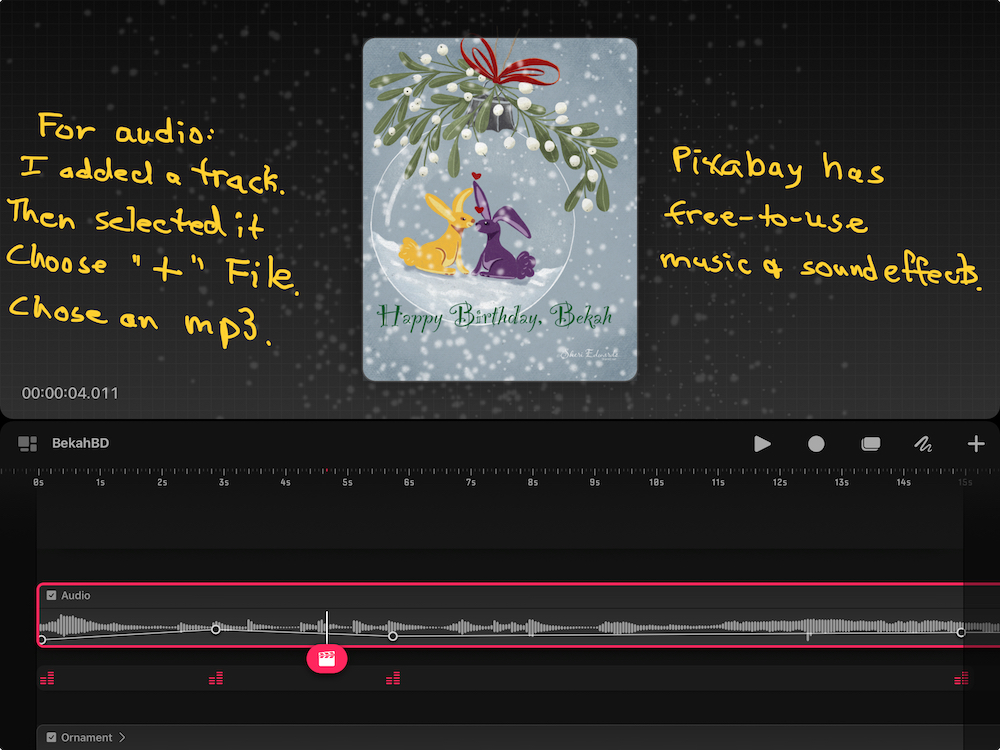
My card includes audio, a loop I made with Garageband from its “Lotus: Apple Loops. If you have copyright-free audio, here’s how to add it to your animation:
Results
I was pleased with the results and my granddaughter loved it. It takes a while to learn, but animation is not difficult. I find myself enjoying still illustrations better though because I’m looking for “art,” not “entertainment in video.” Still, one could use animations to show off your art in your social media, since younger people seem to like video better.
Try It:
Give Procreate Dreams a try. Be sure to share on IG. Be sure to tag Jennifer Nichols and myself. Leila and Po / @42Sheri.
Jennifer Nichols has so much to share about Procreate: lessons, styles of painting [pastels, watercolor, oils, chalk], free brushes and textures, and much more. In addition, the community is friendly and supportive, with many people joining in conversations and our zoom Question/Answer sessions. It’s wonderful to share with other artists and learn together.
If you decide to join, if you click “join here” I’ll receive a bit as an affiliate.
And you’re welcome to follow this blog for art inspiration. We can share with #warmup4art to enjoy our work together! I look forward to your sharing and find me at @42Sheri, on Mastodon Sheri42, on Flickr teach.eagle Sheri 42.

 I wonder, if I draw a line...