


Welcome!
On most Wednesdays, check this blog for a strategy, process, or reflection for illustration with the iPad app ProCreate. This Wednesday Wrap Up shares my work about developing an animal illustration style in a class by Liz Kohler Brown with brushes by Liza Glanz.
Inspiration
Liz just created a class called “Design Your Animal Illustration Style” for her The Studio community. I’ve finished the lessons, but have much more to do.
Liz suggested starting with one animal and working with that animal for a while to develop the skill of drawing / painting it. I chose “rabbit” since Easter is coming and I think rabbits are very cute. We have many rabbits in the shrub-steppe area where I live. I’ve already started some floral designs from our area, so adding a rabbit would be a great addition to those designs.
As I created a Pinterest Board of rabbit illustration styles I liked, I noticed that the look I like is one like Lisa Glanz– see her IG feed. I have many of her brush sets and recently took her tutorial for her Dreamland brush set. I created a Cheat Sheet for myself from that tutorial so I could remember how apply the brushes for creating rabbits in the style I like. I also created a board of reference photos for sketching different poses of rabbits, combining and changing the sketch for the style I like.
With inspiration from the class, Lisa’s tutorial, my Pinterest boards, and a personal connection to the animal, I was ready to begin this week’s art.
What is the style?
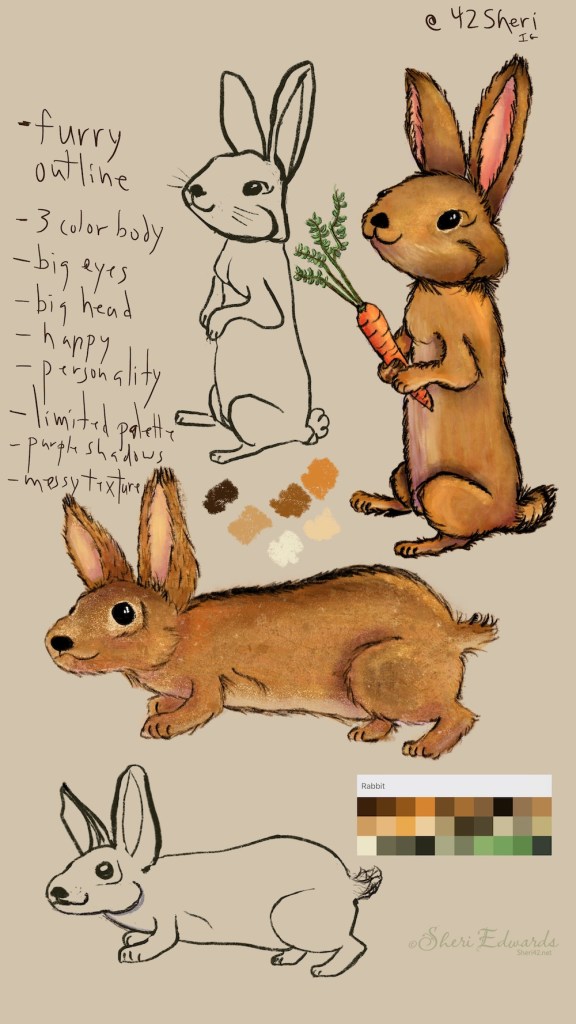
I started with four different poses, chosing two of them and a palette to start. I had to revise both sketches to create tails that fit real rabbits. In the “on the ground” pose, my first sketch looked like a rat face with a long nose, and I shortened that face up, making the cheeks puffier.

I also made the heads and ears bigger, with large eyes to make them cuter. Instead of trying to figure out fur, I like the idea of the furry outline. Although I like watercolor, I prefer a more opaque look, with at least three colors, not a solid flat color. I may have to change that if I work in Affinity Designer later. I like using purple for shading, and a bit of messy texture to help with the fur look. Lisa’s brushes help create this style.
I want the animals to look happy with personality and in poses that fit them, especially in our area.
The Style in Illustration
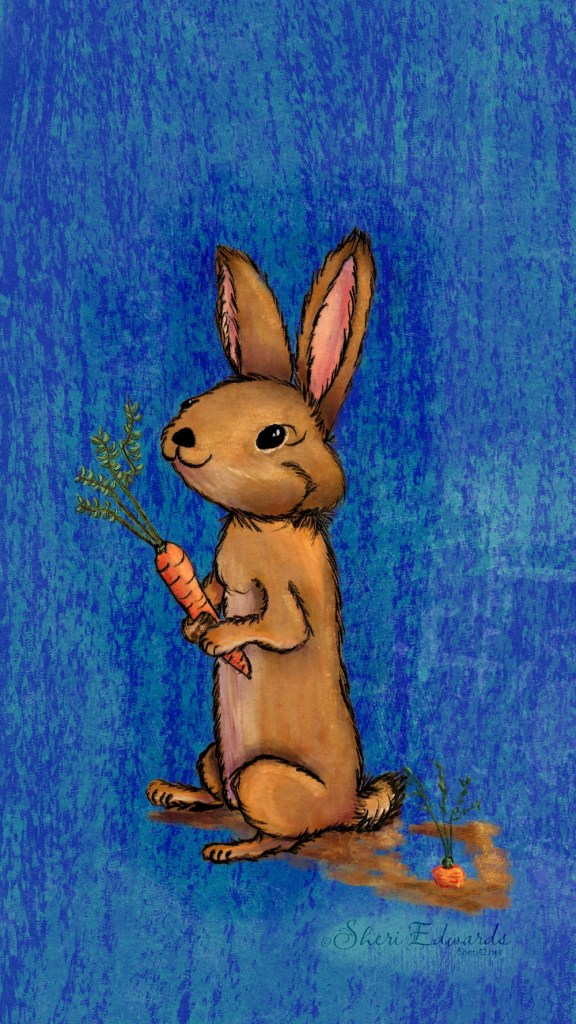
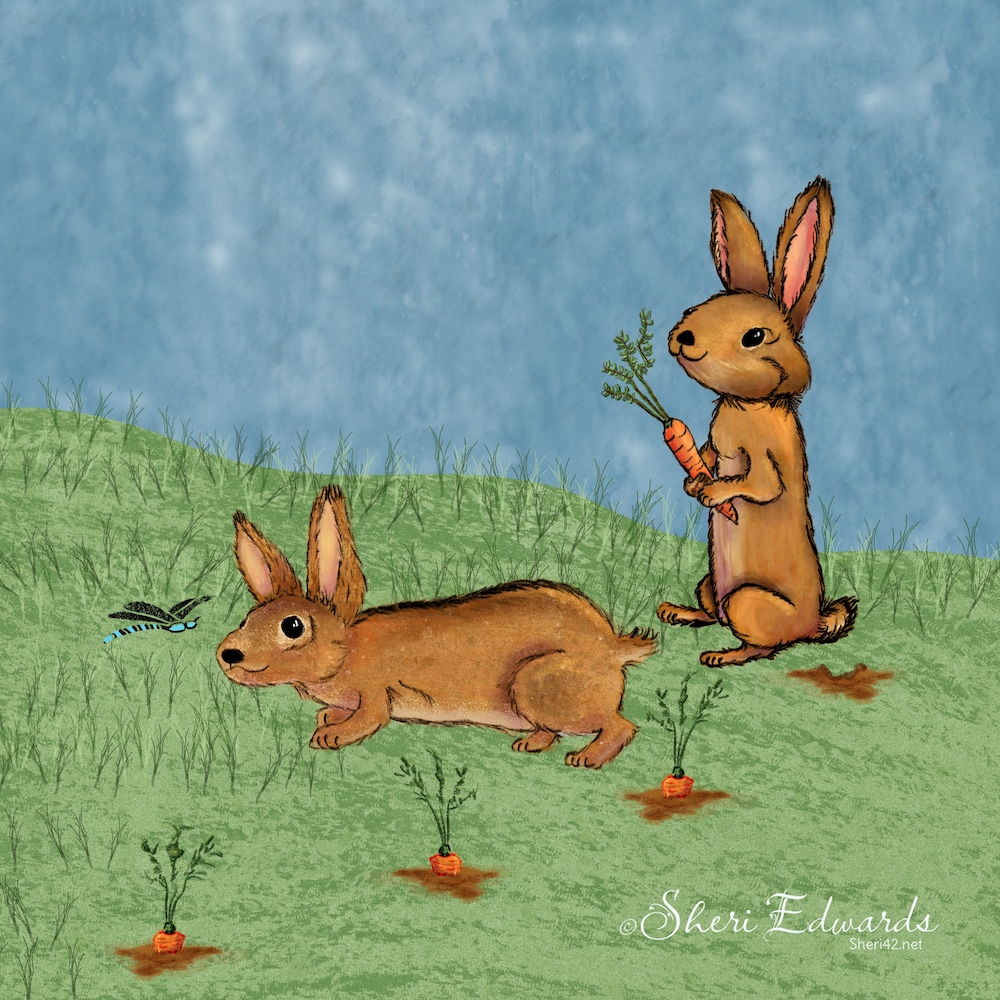
So I finished the look in the illustrations of two poses and created finished pieces as a start to see how I like the result.

Next Steps
My next steps are to finish the other two poses and illustrations, trying also to create a pattern using some of the florals I’ve already created for the shrub-steppe area. I want to add more poses as well, trying a similar style with flat, textured finish– keeping that furry outline. Once I’ve played with the designs of rabbits and florals, I ‘ll try to make some Easter greeting cards. I think I have enough time to do that.
Liz suggested another class, Texture and Depth in Pattern Design, which includes both texture and brush-making, which would help extend the style to my liking. So, I’ll take that class too.
Try It
As you can see, there’s a process to developing your style. Look and collect reference illustrations, find brush sets that help you achieve the style, and begin sketching and illustrating, expanding and enhancing the style that fits your art vision.
Be sure to check out Liz Kohler Brown and Lisa Glanz on Instagram. I’m extremely thankful for the resources they provide. I recommend also Liz’s The Studio for learning both Procreate and Affinity apps. She has free foundation classes for them both, to get a feel for her teaching style and to get started with the apps: Procreate / Affinity Foundations by Liz.
And you’re welcome to follow this blog for art inspiration. We can share with #warmup4art to enjoy our work together! I look forward to your sharing and find me at @42Sheri, on Mastodon Sheri42, on Flickr teach.eagle Sheri 42.

 I wonder, if I draw a line...