


Inspiration
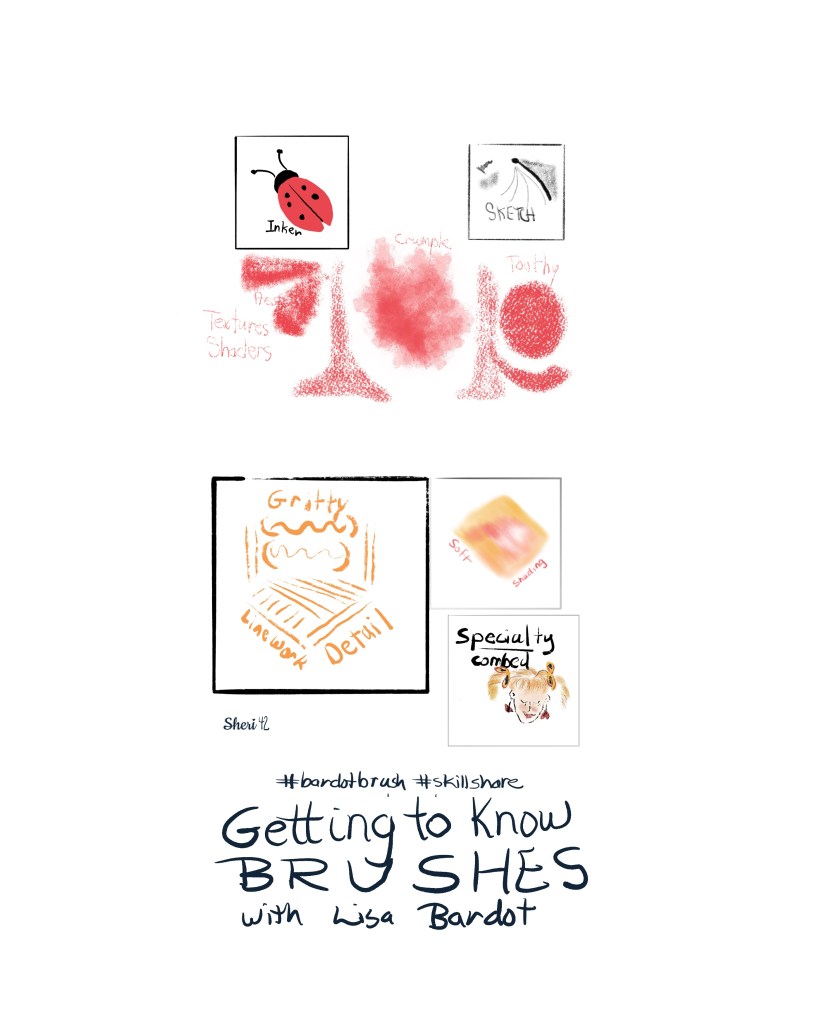
Today on Skillshare with Lisa Bardot, I learned how to choose Procreate brushes for specific art choices in my illustrations. It’s a great introduction to what brushes can do and be enhanced with blend modes on layers. We learned about different types of brushes and their purposes: sketchers, inkers, textures, shading, liners, detailers, and specialty brushes. She provided a sample brush set that included brushes from each category.
Brush Learning
I’ve been using Procreate for a few years, and I was pleased to know I’ve learned a few things along the way, and was able to guess which brush she would use for a certain category. If I were a beginner, I would learn that from the Skillshare / Lisa Bardot event.
Brushes are designed for a purpose and include characteristics such as texture, smoothness, opaqueness, opacity, tilt, pressure sensitivity, taper.
After learning all this, we then practiced with a guided lesson, which Is where I guessed which brush would be appropriate. Learning the terms and options a brush includes will help me in my future illustrations. For instance, some times you want a smooth edge for a motif, but sometimes, it’s better to have a textured, more natural looking edge.
My Snail
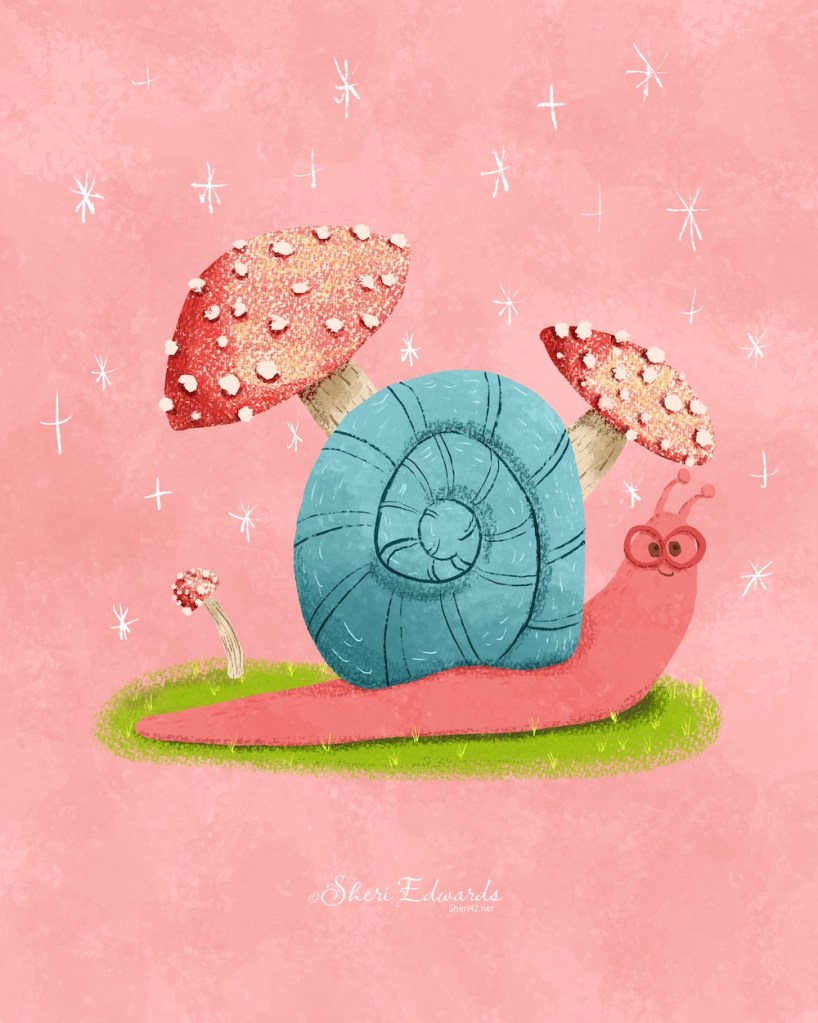
We sketched roughly, then fine-tuned with the sketching brush. Little Pine or 6B would work for this in native Procreate brushes.
We inked on a layer below to draw the solid, smooth outline which would allow auto color fill. That brush is an inker — like Studio Pen.
Next we added textures with slightly darker colors than the object. Do this by alpha-locking the layer or use a clipping mask, which allows you to move, scale, or add blend modes without destroying the original part of the motif. I’ve often used native brushes such as artist’s crayon, willow charcoal, or the noise brush for this. For rougher texture, try Hessian in Organic category.
For shading, I used the texture brushes on a smaller size or the soft air brush. Choose a slightly darker color than the object. You can see the shading on the shell and the mushroom caps the best. I also added shading beneath the spots on the mushroom to give some depth to the white spots.
Finally, we added details with a brush that is not as smooth as the studio pen– it has a bit roughness to it. Native brushes like dry ink or ink bleed work well for details.
For this drawing, I used Lisa’s Sample Pack that she provided with the live event.
- Sketching from her Pencil Box
- Inker from her Basic Toolkit
- Crumple Texture from her Watercolor Wonder
- Press Fine from her Texture Maker
- Toothy Pastel from her Artist’s Pastels
- Gritty Tilt Liner from her Gouache Paintbox
- Soft Shading for her Drawing Digital Book
- Specialty Combed from her Fur and Fluff.
It’s great to have these in one set, even though I already have all these brush sets since I’ve been learning from Lisa Bardot for several years.
Follow Lisa Bardot
There’s so much to learn about brushes and painting digitally, and I’ve learned so much from Lisa. She has a six hour class for everything Procreate on Skillshare and in her Art Makers Club.
She’s having a sale on her brushes in October, so be sure to check out the bardotbrush website. I’m also a Founding Member of her Art Makers Club, which provides monthly tutorials and an active artist community. You can join in on many of the tutorials and the prompts for the Making Art Every Day Drawing Challenge she’s been running for six years.
And follow her on Skillshare and Instagram at LisaBardot and BardotBrush to keep up with new events.
Thank you
In the Skillshare session with Lisa Bardot, I learned to select Procreate brushes tailored to my illustration needs, covering types such as sketchers, inkers, and texture brushes. Practicing techniques enhanced my skills in achieving specific textures and details in my artwork. Lisa’s resources and community continue to inspire my artistic journey.
Thanks for stopping by to see what I’ve been learning and who helped me learn. I have many artists that inspire me, which you can link to from my Artist Resources / Artist Gems page.
And, as Lisa would say, Make Art Every Day!
#skillshare #bardotbrush #brushesinaction

 I wonder, if I draw a line...