


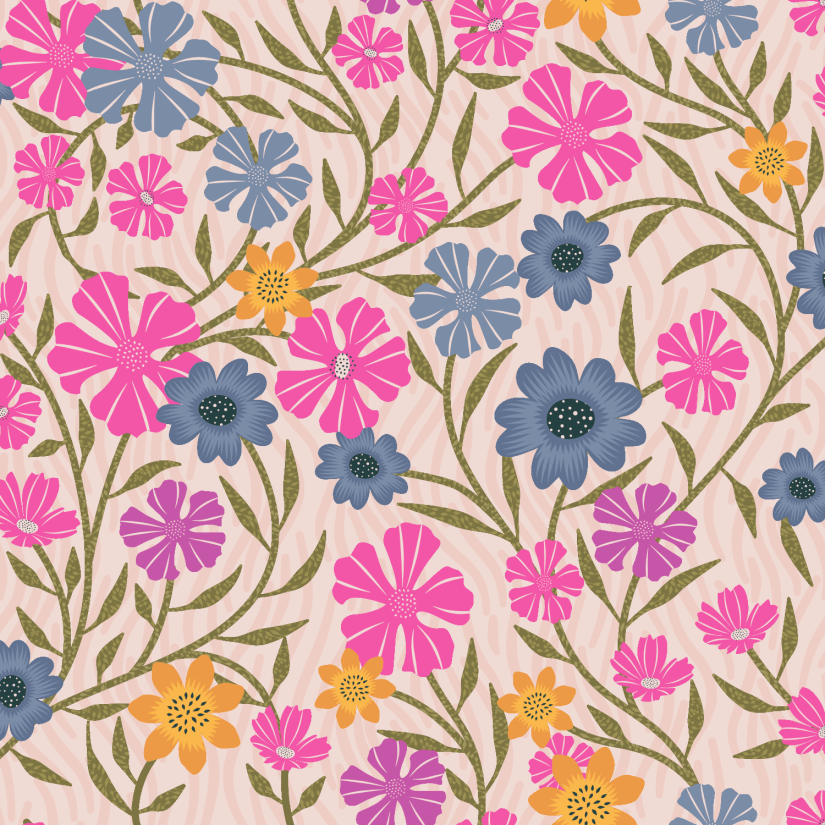
Trailing Petunias
I’m taking Delores Naskrents Affinity Designer MasterClass to learn more about the tools in Affinity Designer. Included in the class are many templates with videos for how to use them. I’ve always loved the trailing vine type of pattern, and one of the templates is just that.
I watched the video, created my petunias and other florals, and began designing the pattern, using the template. The template includes the use of symbols. In Affinity Designer, if you create a motif, you can make it a symbol within the document. Duplicate the symbol to make the pattern. With the symbol, if you decide to change the color scheme, you can then change only one of the symbols and all the rest will automatically change. You can also insert a new motif to replace that symbol, and all of them change. Vey cool.
You can also see my curvy line background in the design. It’s an “asset” in my asset studio, so I can add it to any design and change the color to fit, which is what I did here.
This is the palette I used, with a link for you download if you like it. It’s for Affinity Designer. Or download the image to select the color in whatever art app you use.
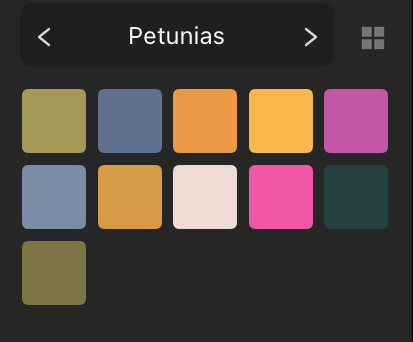
Petunias Palette [Affinity Designer]
Later this week I plan to create some blenders/ secondary patterns to make a collection for the Petunias design.
If you have any questions, just ask…

 I wonder, if I draw a line...